Fault Log
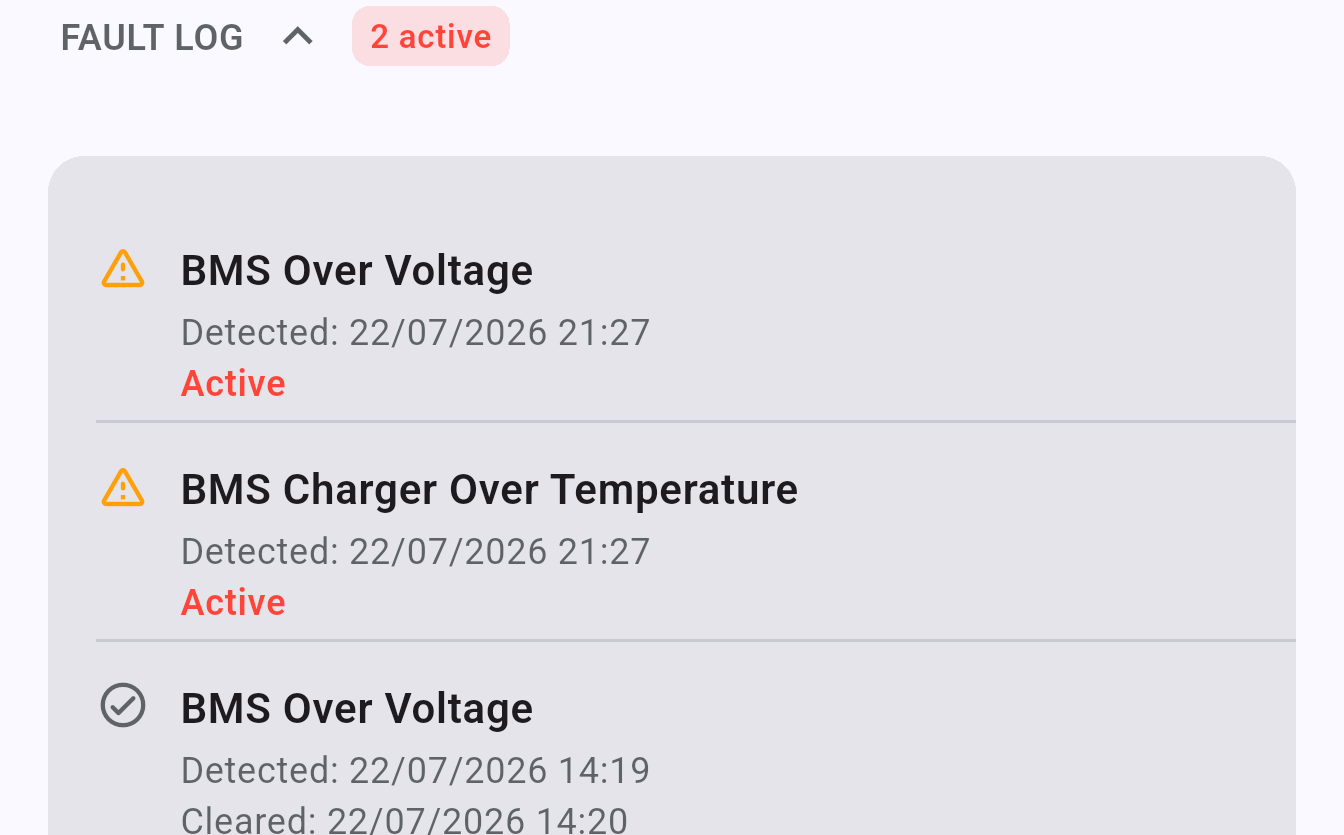
The Fault Log in the Inverter screen shows active and historical faults reported by your inverter.
Viewing faults
Section titled “Viewing faults”Open Inverter → Fault Log to see a list of faults. Each entry shows the fault code and description. Active faults are shown at the top.
Fault alert banners
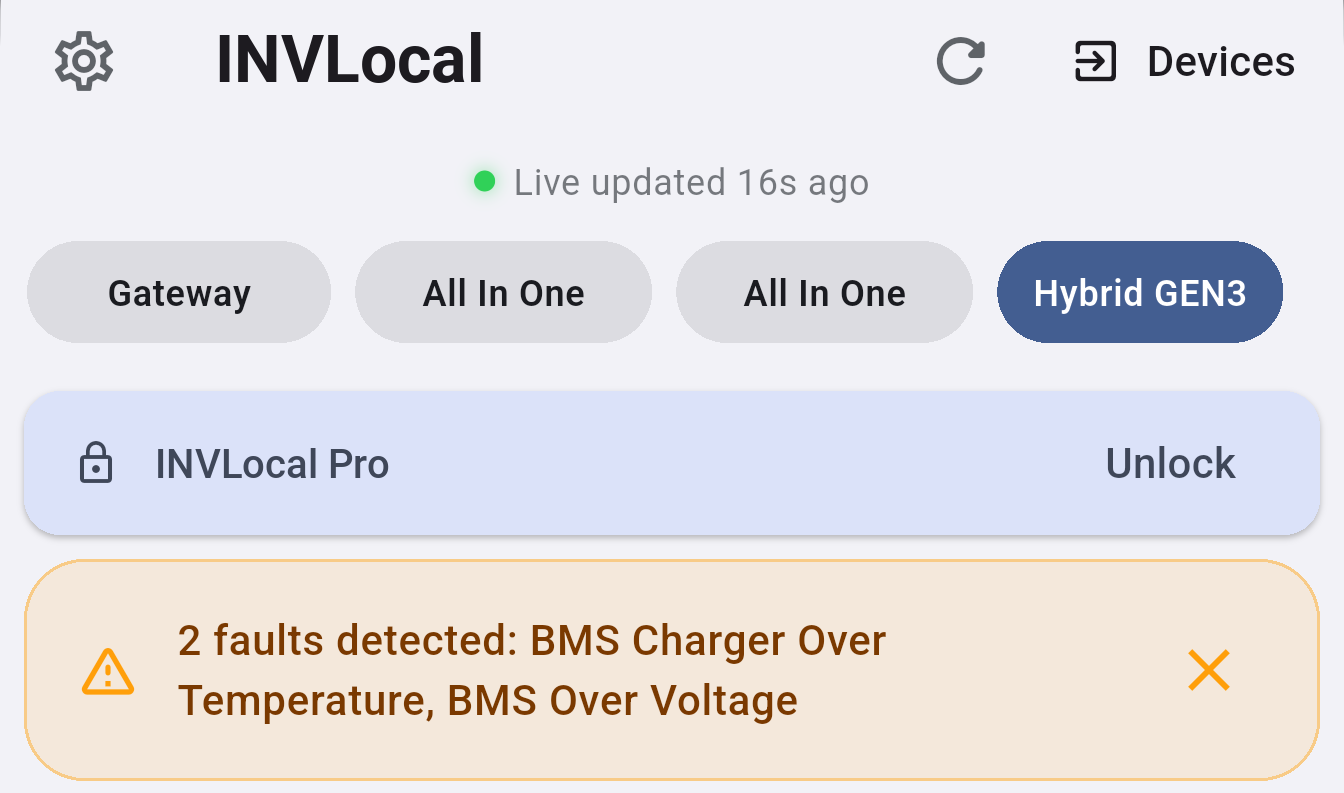
Section titled “Fault alert banners”When a fault is detected, INVLocal can display an alert banner on the Dashboard. Enable this in Settings → General → Show Fault Codes.
Clearing alerts
Section titled “Clearing alerts”Once you have reviewed a fault you can clear the alert from within the Fault Log. This dismisses the banner but does not resolve the underlying fault on the inverter.
INVLocal is an independent product. It is not affiliated with, endorsed by, or supported by GivEnergy. GivEnergy is a trade mark of its owner and is used here only to describe hardware compatibility.